Sometimes we meet trouble in disk capacity. If we work within CLI, how do we know which files had the biggest size? Today, those kind of troubles won't be exist any longer. Just type the ls command with -h option.
Example, I want to check the files inside the /var directory. I just type the command below.
ls -lsah /var
I you confuse, just type man ls.


All of us had known that we could remaster Ubuntu with reconstructor, right? I thought that it'll works like remasterme on PClinuxOS, making live CD of a Linux system. But it's totally different. Reconstructor is less powerfull then remasterme.
Reconstructor only change the settings an Ubuntu iso then implement into the new one. But remasterme can back system of a PC up. So It'll be usefull and easier when we want to clone the settings to many PC's.
Fuih...
Then, what should we do? Is there any remasterme in other distro (ex: Ubuntu)? I've asking over Uncle Goog but nonsense.
I've tried to change the rpm of PClinuxOS remasterme to deb over alien. The conversion and installation in Ubuntu was success, but back then I found nothing the binary of remasterme. What a silly..
And the very last time I've found an application that works just like remasterme. And thanks God it made just for Ubuntu, named
remastersys. Here's the how to.
1. Edit the repository apt-get
gedit /etc/apt/source.list2. Add the following line
deb http://www.remastersys.klikit-linux.com/repository remastersys/3. Refresh the and install remastersys
apt-get update
apt-get install remastersys
Now you are ready using remastersys to create a remaster iso of your system or just only back your data up.
What the ... last night I got succesfully download my Inteprid iso and just a minute ago I've installed it on a PC (I'm working on it). But back then I realized there's something wrong, My Compiz isn't working. Oh I almost forgot that Ubuntu didn't automatically recognize Nvidia Driver. So I go to System -> Administration -> Hardware Drivers but only this I got.

Rush to ubuntu-id milis and found the same problem I got. Said that it's right that the old Nvidia driver doesn't compatible to new Xorg. Here's the quote of Inteprid team.
The 71 and 96 series of proprietary nVidia drivers, as provided by the nvidia-glx-legacy and nvidia-glx packages in Ubuntu 8.04 LTS, are not compatible with the X.Org included in Ubuntu 8.10. Users with the nVidia TNT, TNT2, TNT Ultra, GeForce, GeForce2, GeForce3, and GeForce4 chipsets are affected and will be transitioned on upgrade to the free nv driver instead. This driver does not support 3D acceleration.
So sayonara goodbye to Compiz in this PC. Nop!!
But don't stop until the last fight.
I finally found how to get some geek way from
launchpad.
- Download NVIDIA-Linux-x86-96.43.09-pkg1.run (or the other one if
you're running a 64 bit system) to your home folder (/home/simon/ for
me)
- switch to pty1 (CTRL+ALT+F1)
- log in
- sudo service kdm stop (will kill X server) (or gdm if you are running gnome)
- sudo sh ./NVIDIA-Linux-x86-96.43.09-pkg1.run
- say yes to everything (will compile nvidia kernel module)
- sudo reboot now (reboot now !!)
And that should be enough, login and check that "glxinfo | grep
direct" says "YES"
Will you try it?? Or just kick this Video Card out of the window.
Till 7 days to go. Lets prepare for the Inteprid Release Party. Who's join?
Don't even try to add user from shell with useradd in Clarkconnect. Why? It's because the linux user database is also used for the ldap database (see previous posting of me). If you do it, even the user is registered to linux user but the user won't be able login with his ldap account. You can only add the user within webconfig. The fact is database for linux user and ldap user is different.
The problem begin here. What about adding mass of users, for me 6000, users to the ldap systems. I've thoughted we can easily solve the problem with shell script. Right? But that's actually wrong. So what we gonna do now?
After look after Clarkconnect forum, I founded it. A script to add mas of users automatically from text file. But don't worry, this time the ldap user also would be made.
First, made a text file for username named user_list.txt and put it to /tmp folder. Form for the text is:
USERNAME1:UID:PASSWORD:FIRSTNAME LASTNAME
USERNAME2:UID:PASSWORD:FIRSTNAME LASTNAME
USERNAME3:UID:PASSWORD:FIRSTNAME LASTNAME
....etc
You can easily convert your database to .csv file type and replace the commas (,) with (:).
Then make the main script named user.php. This script can you put within your home folder.
#!/usr/webconfig/bin/php -q

///////////////////////////////////////////////////////////////////////////////
//
// Copyright 2003-2007 Point Clark Networks.
//
///////////////////////////////////////////////////////////////////////////////
//
// This program is free software; you can redistribute it and/or
// modify it under the terms of the GNU General Public License
// as published by the Free Software Foundation; either version 2
// of the License, or (at your option) any later version.
//
// This program is distributed in the hope that it will be useful,
// but WITHOUT ANY WARRANTY; without even the implied warranty of
// MERCHANTABILITY or FITNESS FOR A PARTICULAR PURPOSE.  See the
// GNU General Public License for more details.
//
// You should have received a copy of the GNU General Public License
// along with this program; if not, write to the Free Software
// Foundation, Inc., 59 Temple Place - Suite 330, Boston, MA 02111-1307, USA.
//
///////////////////////////////////////////////////////////////////////////////

/*****************************************************************************/
/* D E P E N D E N C I E S      */
/*****************************************************************************/

require_once("/var/webconfig/api/User.class.php");
require_once("/var/webconfig/api/File.class.php");
require_once("/var/webconfig/api/UserManager.class.php");
error_reporting(0);

$file = new File("/tmp/user_list.txt");
if (!$file->Exists()) {
    echo "File not found.\n";
    return 1;
}

$lines = $file->GetContentsAsArray();
foreach ($lines as $line) {
    $userinfo = array(
        'dn' => null,
        'sn' => null,
        'cn' => null,
        'givenName' => null,
        'uid' => null,
        'title' =>  null,
        'o' =>  null,
        'ou' =>  null,
        'roomNumber' =>  null,
        'street' =>  null,
        'postOfficeBox' =>  null,
        'postalCode' =>  null,
        'l' =>  null,
        'st' =>  null,
        'c' => null,
        'telephoneNumber' =>  null,
        'facsimileTelephoneNumber' => null,
        'kolabFreeBusyFuture' => 60,
        'pol' => array('anyone' => 4),
        'alias' => '',
        'delegate' => '',
        'cyrus-userquota' => '',
        'kolabDeleteflag' => false,
        'pcnFTPPasswordFlag' => true,
        'pcnMailPasswordFlag' => true,
        'pcnPPTPPasswordFlag' => true,
        'pcnProxyPasswordFlag' => true,
        'pcnWebconfigPasswordFlag' => true,
        'pcnSambaPasswordFlag' => true,
        'pcnWebPasswordFlag' => true,
    );

    $profile = explode(":",$line);
    $user = new User($profile[0]);
    if ($user->IsValidUsername($profile[0])) {
        $username = strtolower($profile[0]);
        $userinfo['uid'] = $username;
        $userinfo['password'] = $profile[2];
        $userinfo['verify'] = $profile[2];
    }else{
        echo "Invalid username (" . $profile[0] . ").";
        return 1;
    }
    // protect root
    if ($username == 'root') {
        echo "Skipping root account...\n";
        continue;
    }

    // protect system account
    if ((int)$profile[1] < 1000) {
        echo "Skipping system account (UID < 1000)...\n";
        continue;
    }

    list($first, $last) = explode(" ", $profile[3]);

    if ($user->IsValidFirstName($first)) {
        $userinfo['givenName'] = $first;
    } else {
        echo "Invalid first name (" . $first . ").";
        return 1;
    }
    if ($user->IsValidLastName($last)) {
        $userinfo['sn'] = $last;
    } else {
        echo "Invalid last name (" . $last . ").";
        return 1;
    }

    try {
        $user->Add($userinfo);
        $userinfo = null;
        echo "User $username successfully imported!\n";
    } catch (UserAlreadyExistsException $e) {
        echo "User $username already exists...skipping.\n";
    } catch (Exception $e) {
        echo "Adding user $username failed - " . $e->GetMessage() . "\n";
        echo "Bailing on user import...\n";
        return 1;
    }
}
return 0;
// vi: syntax=php ts=4
?>
The last one is just execute it
./user.php
Hope it helps for you all. And I also hope that the next version of Clarkconnect add function to add many users automatically just by import the file with webconfig.
^_^
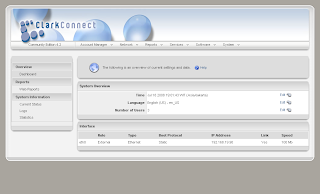
Learning LDAP can be a frustrating experience. LDAP is complicated, and centralized authentication is only one of its many legitimate uses. As a result, the task of making Linux machines consult an LDAP server for authentication is a black art. Documentation tends to be spotty and confusing. But learning about LDAP authentication, despite its difficulty, is worth the time and effort. LDAP can provide a scalable and secure approach to network management.
I've failed to practise it with both of Fedora (or Centos, i've forgotten) and Suse. But
Mr Sumodirjo told me to try ClarkConnect. It has been installed and set up there. So you just only do simple way to create user, configure the samba and anything else related to.
You can get it
here.


